
Enterprise Utilities & Diagnostic Tools
CredenceIO Technologies builds lightweight, native infrastructure utilities designed for secure, air-gapped, and high-compliance environments. We believe network tools should execute instantly, require zero cloud dependencies, and respect your telemetry boundaries.
IODiag Pro
The Native Win32 Network Engineering Workbench
IODiag is a standalone, offline-first diagnostic suite engineered for network administrators managing complex Layer 2 and Layer 3 environments. Compiled as a native executable with zero external dependencies, IODiag runs entirely from local memory without requiring cloud accounts, recurring subscriptions, or internet connectivity to function.
SNMP Switch Port Mapper: Rapidly correlate MAC addresses, vendor OUIs, and active IPs to physical switch interfaces using SNMPv2c/v3.
L3 Subnet Scanner: Multi-threaded discovery engine for mapping live hosts, resolving hostnames, identifying active network nodes, and rogue DHCP servers.
Dynamic Ping Timeline: Continuous, multi-threaded ICMP monitoring for diagnosing intermittent latency, packet loss anomalies, TCP/DNS probes, and Path MTU.
Embedded TFTP Server: Instantly provision a local TFTP root for pushing firmware updates and pulling configuration backups from network appliances.
LLDP and CDP Link Discovery: Trace unlabeled wall jacks to their upstream switch name, port ID, VLAN, and management IP via SNMP neighbor crawl or Npcap-free wire capture. |
$199.00 USD — Perpetual License
Single-seat, node-locked hardware activation.
No recurring subscriptions.
14-Day Local Trial included in the download.
30-Day Money-Back Guarantee.
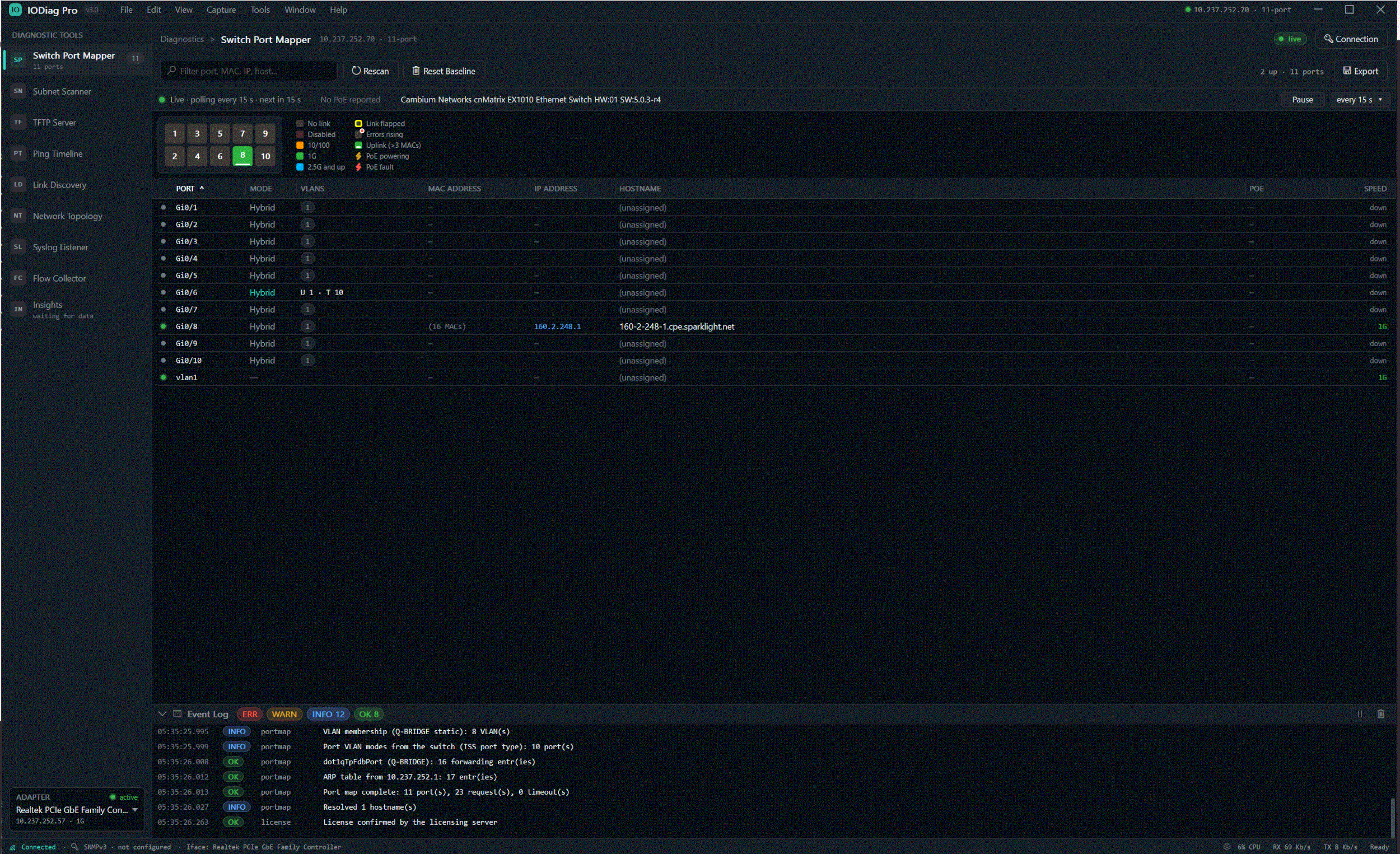
IODiag
Five tools in one. IODiag offers an SNMP walking tool, Subnet Scanner, TFTP server, Multi-ping tools, LLDP & CDP link discovery and Syslog collector.
Version 3.1.0.4 | Native Win32 (~1 MB) | Zero Dependencies
SHA-256 (IODiag.exe): d8d35ec3abf38d209ed4492b333e22359e46880d34cc92541507d91fc141b11e
(Note: If Windows SmartScreen prompts on first launch, click More info -> Run anyway.)